
autoecat: from lookup to order
Follow one job from start to finish: an alternator for a 2013 Honda Accord, from picking the vehicle to checkout.
-
 Step 1 of 10
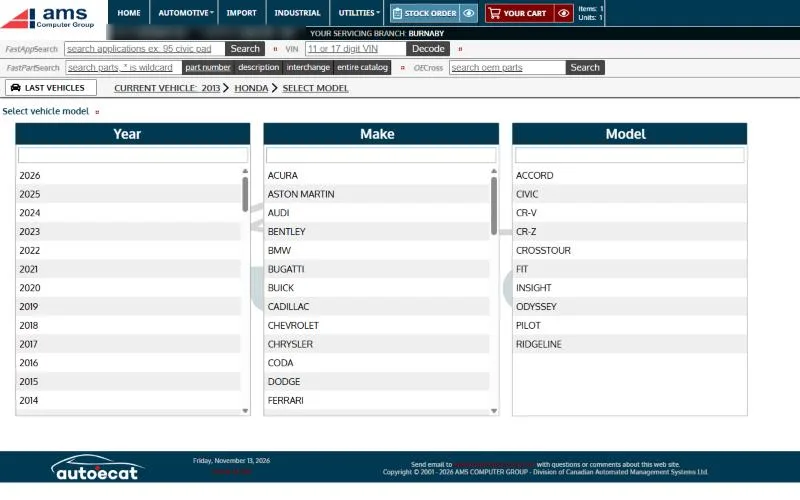
Pick the vehicle
A shop needs an alternator for a 2013 Honda Accord with the 2.4L engine. Year, make and model each have a filter box, so typing “hon” goes straight to Honda.
-
 Step 2 of 10
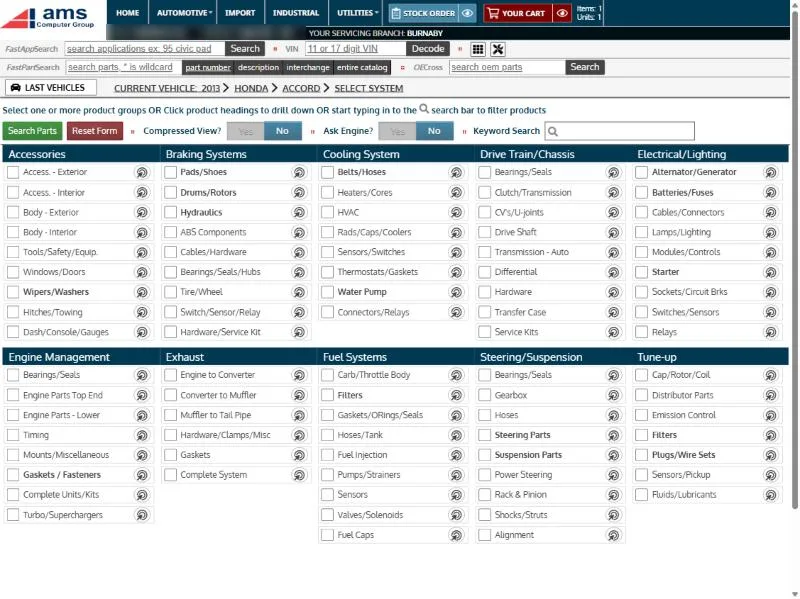
Choose what you’re working on
Every parts group is on one screen. You could tick Alternator/Generator and search. Instead, click the bulls-eye beside it to pick from a picture.
-
 Step 3 of 10
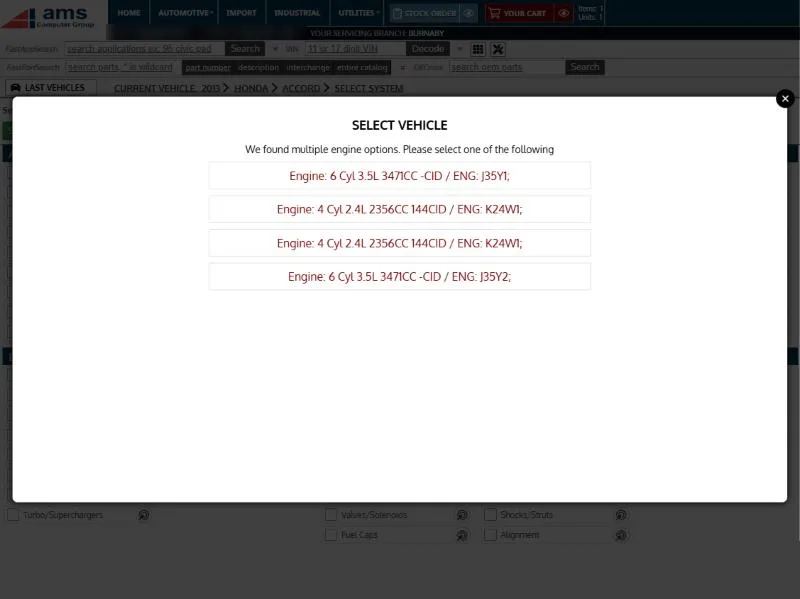
It asks only when it matters
The Accord came with more than one engine, so autoecat asks which one first. Pick the 2.4L four-cylinder.
-
 Step 4 of 10
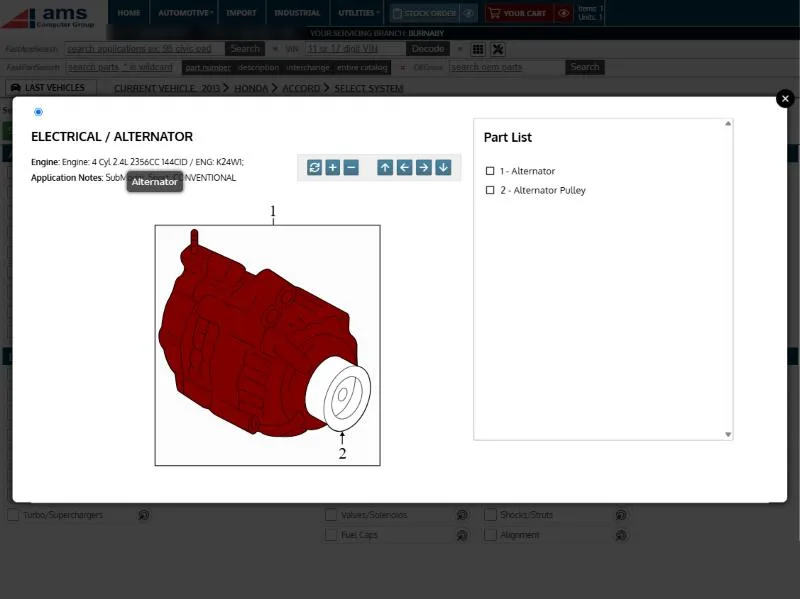
Point at the part
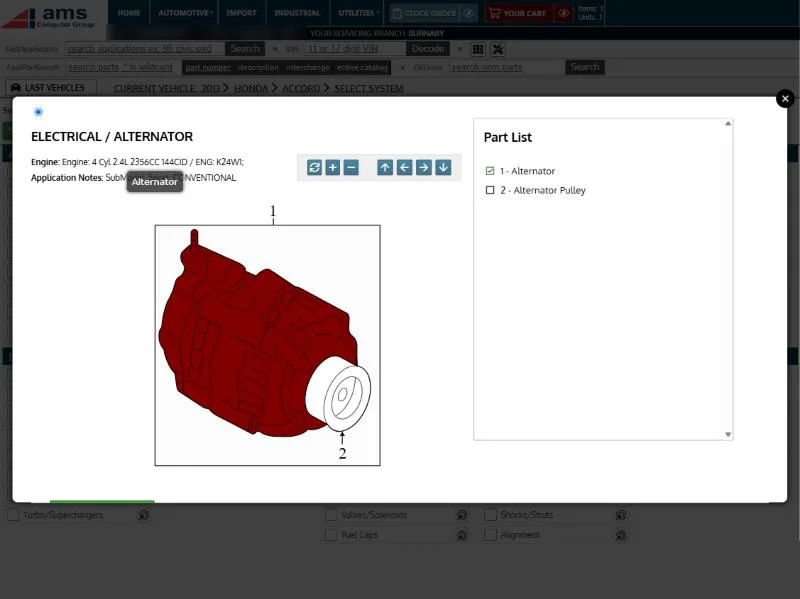
A diagram of the alternator assembly opens. Point at a part and it lights up with its name.
-
 Step 5 of 10
Click what you need
Click the alternator and it’s ticked in the part list. Then search for just that part.
-
 Step 6 of 10
Price and stock for this shop
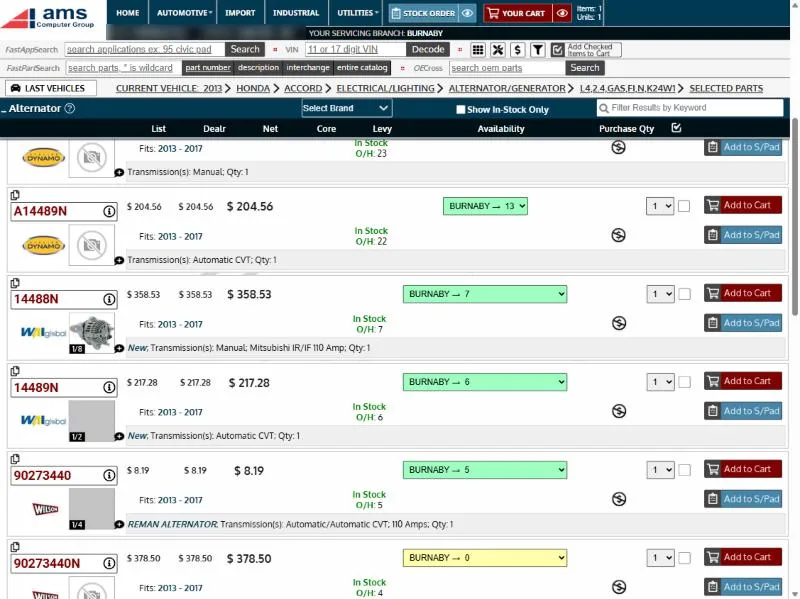
Every alternator that fits comes up with the shop’s own price and your stock at each branch, plus photos and fitment notes like transmission and amperage. Here, the WAI 14488N: new, 110 amp, seven in Burnaby.
-
 Step 7 of 10
Check the details
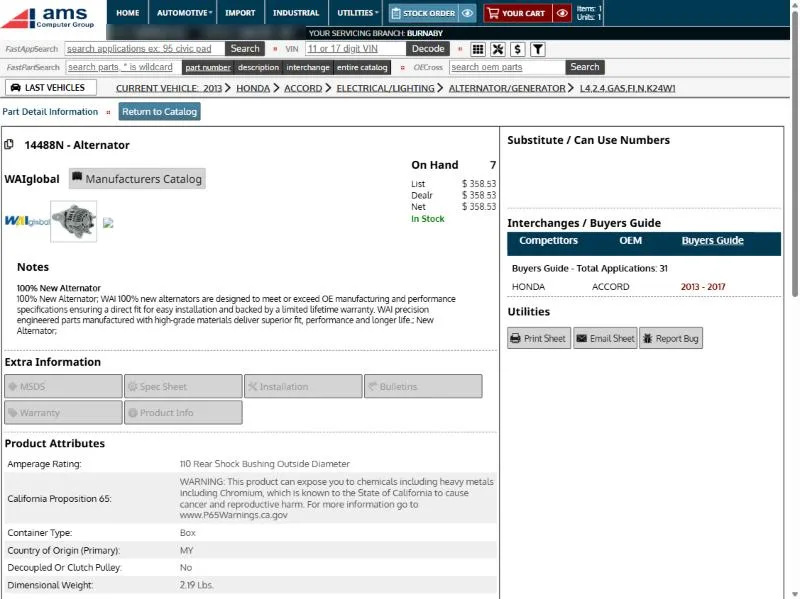
Click the part number for its detail page: on-hand and price, the manufacturer’s notes, product attributes like amperage, weight and country of origin, and the buyers guide.
-
 Step 8 of 10
Add it to the cart
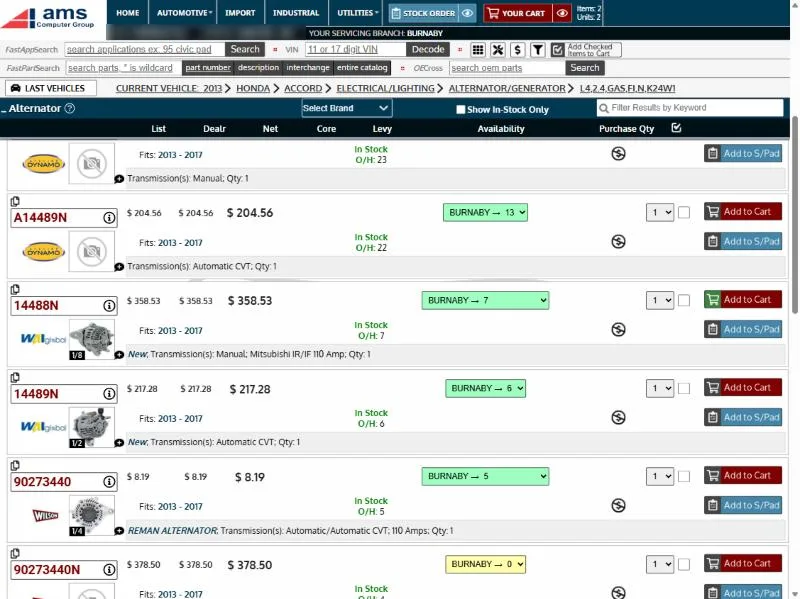
Back on the results, choose the quantity and click Add to Cart. The button turns green and the cart count at the top goes up.
-
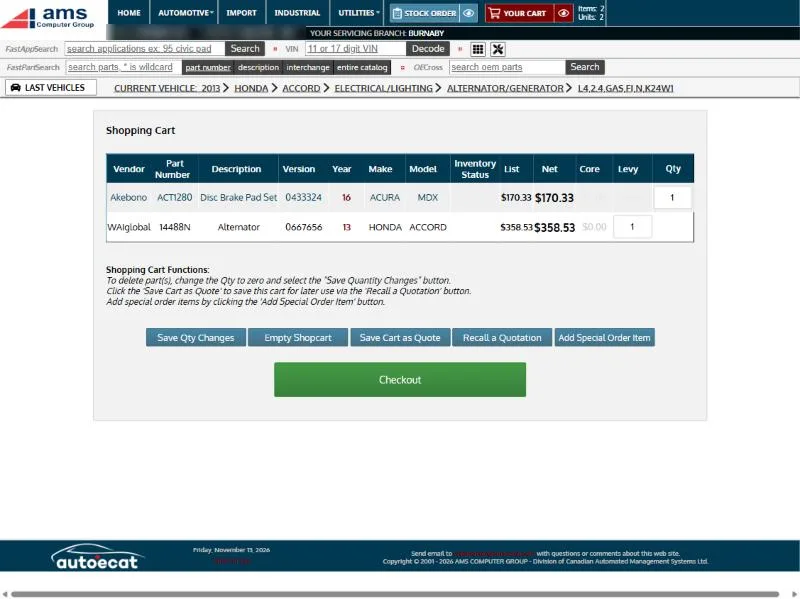 Step 9 of 10
Review the cart
The cart shows every part with its vehicle, price and quantity. Change quantities, save it as a quote to recall later, or add a special-order item. When it’s right, check out.
-
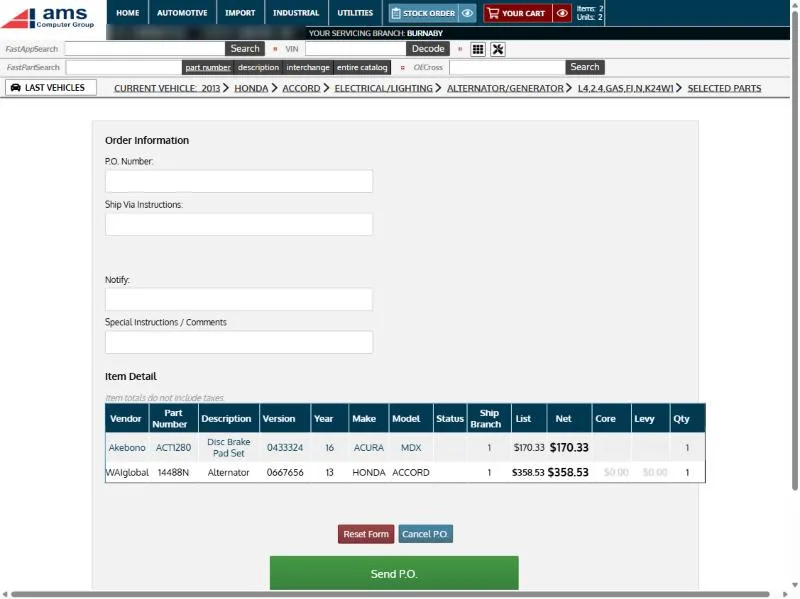 Step 10 of 10
Add the PO and send
At checkout, the shop enters its PO number, shipping instructions, who to notify and any comments, and checks every line one last time. Send P.O. puts the order straight into Counterpoint at your counter, ready to pick.
Could this work at your store?
We’ll walk you through it live, set up the way your business runs.